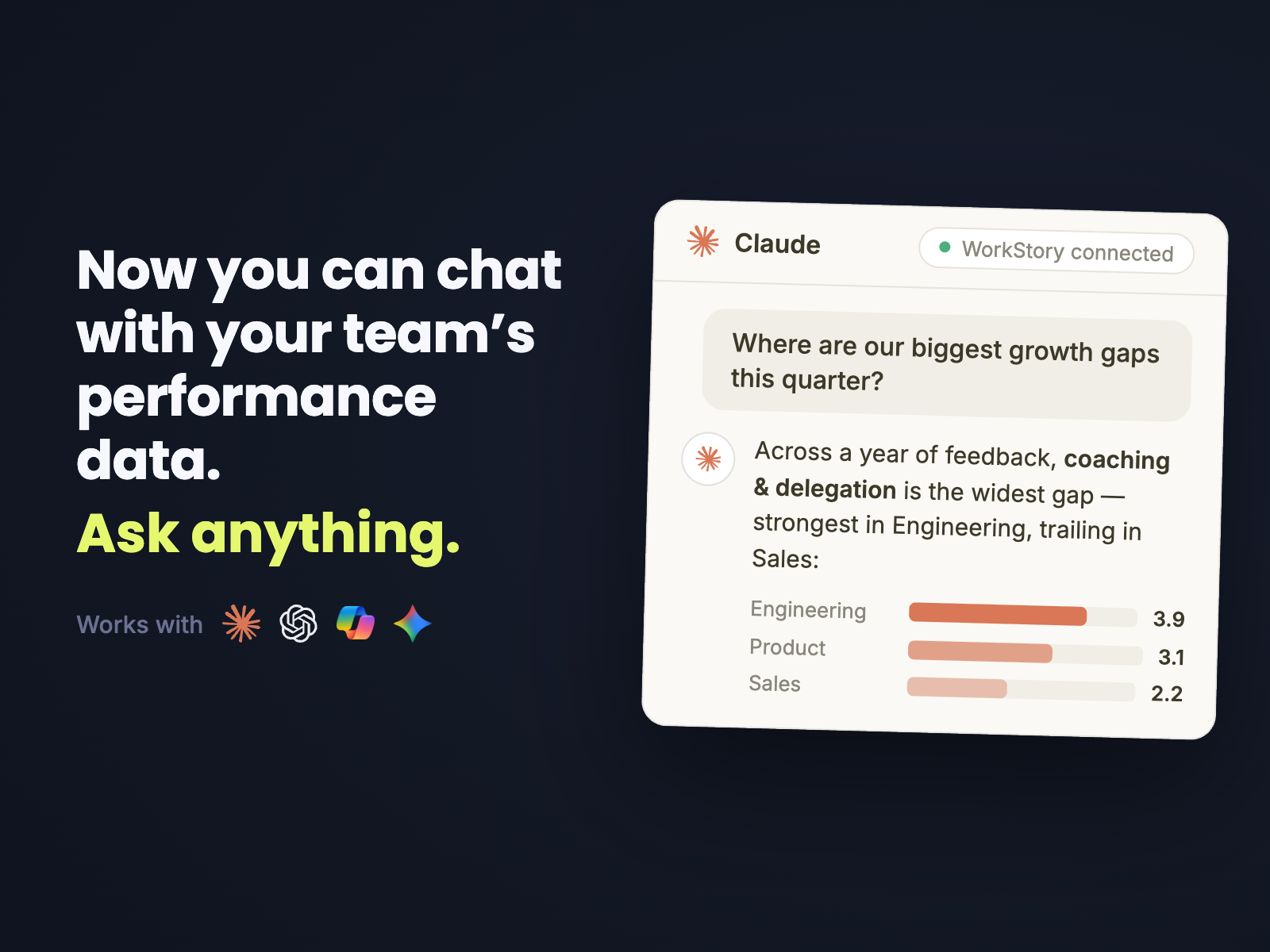
WorkStory MCP lets HR teams, managers, and employees chat with the performance data they already have in WorkStory—directly from compatible AI workspaces such as ChatGPT and Claude. Teams can ask questions in plain language, uncover patterns across feedback and reviews, and turn those findings into useful work such as presentations, 1:1 plans, coaching guidance, and development priorities.
Instead of searching through months of feedback or starting with a blank document, your team can begin with a question. WorkStory supplies the relevant performance context, and your AI workspace helps transform it into a clear next step.
Explore WorkStory MCP and schedule a walkthrough.
The WorkStory MCP
What is the WorkStory MCP?
MCP stands for Model Context Protocol. It is a standard that helps AI applications connect to external tools and data sources in a structured way.
WorkStory MCP brings the context stored in WorkStory into an AI conversation. That means an AI tool can work with relevant feedback, performance reviews, review cycles, and team information instead of relying on a generic prompt with no organizational context.
The result is not another dashboard to interpret. It is a conversational way to understand performance and decide what to do next.
Why chatting with performance data changes what teams can do
Performance information is usually spread across feedback entries, review forms, manager notes, review cycles, and employee histories. Even when the data is well organized, finding the answer to a specific question can take time.
WorkStory MCP changes the starting point from “Where do I find the data?” to “What do I want to learn?”
A People leader can ask about organization-wide development themes. A manager can prepare for a specific employee conversation. An employee can ask what evidence of next-level readiness appears in their feedback. Each person starts with a question that matters to their role.
What HR and People teams can do with WorkStory's MCP
HR teams can use WorkStory MCP to move from performance information to organization-wide action more quickly.
Identify learning and development gaps
Ask the AI to analyze recurring feedback themes across teams and identify the most urgent skills or behaviors to develop. The answer can be organized by department, role, competency, or priority.
“Using WorkStory, identify the most important performance gaps across our teams. Group the findings by department and recommend the three highest-priority development programs.”
Create presentations for leaders and all-hands meetings
Once the gaps are clear, ask a connected AI workspace to turn the findings into a presentation outline or finished deck. HR can prepare an executive briefing, quarterly talent update, or all-hands development plan without manually compiling every source.
“Create a 10-slide presentation for our Q3 all-hands meeting that explains the top performance gaps, supporting themes, recommended actions, and owners.”
Compare patterns across teams
HR can compare recurring themes across departments, see where the same challenge appears in different contexts, and separate organization-wide needs from team-specific needs.
Prepare for review-cycle decisions
People teams can ask questions about review-cycle progress, performance-review status, recurring comments, and available scores or submissions—subject to their existing access.
Turn analysis into an operating plan
Ask the AI to convert findings into a 30-, 60-, or 90-day plan with priorities, owners, measures, and communication steps.
What managers can do with the WorkStory MCP
Managers can use WorkStory MCP to prepare for more specific, balanced, and useful conversations with each employee.
Prepare a better 1:1
Instead of rereading months of feedback, a manager can ask for a concise preparation brief with strengths to recognize, recurring challenges to explore, coaching questions, and follow-up commitments.
“Using WorkStory, review Taylor’s feedback from the last 90 days and help me prepare for our next 1:1. Highlight strengths, recurring challenges, coaching questions, and a clear follow-up plan.”
Find patterns without losing the examples
The AI can summarize the broader pattern while keeping the conversation grounded in the feedback and performance context available to the manager.
Create coaching questions
Managers can ask for open-ended questions tailored to a recurring development theme, such as delegation, strategic communication, scope management, or cross-functional leadership.
Build a follow-up plan
Turn a discussion into specific next steps: what the employee will practice, what support the manager will provide, what evidence to look for, and when to revisit progress.
Prepare for growth and promotion conversations
Managers can compare feedback themes with expectations for a broader role and identify the evidence an employee has already demonstrated and the gaps that still need attention.
What employees can do with the WorkStory MCP
Employees can use WorkStory MCP as a personalized coaching layer for understanding their own performance and planning their growth.
Understand what feedback says over time
Ask which strengths appear consistently, which development themes recur, and how recent feedback differs from older feedback.
“Based on my WorkStory feedback, where am I strongest today, and what two capabilities would most improve my readiness for the next level?”
Turn feedback into a growth plan
Ask for a practical development plan with actions to try, examples of next-level behavior, people to learn from, and check-in milestones.
Prepare for a career conversation
Employees can organize their accomplishments, recurring strengths, growth areas, and questions before discussing advancement with their manager.
Ask for coaching in the moment
Instead of waiting for the next formal review, an employee can ask how to apply a piece of feedback to an upcoming project, meeting, presentation, or leadership opportunity.
From answers to presentations, plans, and documents
WorkStory MCP provides relevant performance context. If the connected AI workspace supports document, presentation, charting, or other creation tools, the user can ask it to turn that context into a deliverable.
Examples include:
A presentation deck summarizing performance themes for a leadership or all-hands meeting.
A 1:1 preparation brief with strengths, recurring challenges, and coaching questions.
A development or coaching plan built from recurring feedback themes.
A written summary or report of patterns across teams or review cycles.
This is where the experience becomes especially powerful: the same conversation can move from a question, to an analysis, to a visual or document that is ready to review.
How the WorkStory MCP works
WorkStory MCP works like any Model Context Protocol connection: your AI workspace (ChatGPT, Claude, or another MCP-compatible tool) connects to WorkStory as a context source, the same way it might connect to a calendar or a file system.
Once connected, the AI can request relevant context from WorkStory in response to a question — feedback entries, review data, or team information — instead of relying on a generic prompt with no organizational grounding. WorkStory returns only the context relevant to the question and to what the authenticated user is allowed to see.
The AI then works with that context the way it would any other information in the conversation: summarizing it, comparing it, or turning it into a deliverable like a presentation, plan, or document. Nothing is copied out of WorkStory permanently — each conversation pulls fresh, permission-scoped context at the time of the question.
What WorkStory data can the AI use?
Depending on the authenticated user’s company and access, WorkStory MCP can help work with:
Feedback entries — comments and observations submitted about an employee over time.
Performance reviews — completed review content and ratings from past cycles.
Review cycles — status, progress, and structure of current and past review periods.
Team and employee information — role, department, and reporting structure, scoped to what the user can already see in WorkStory.
The available answer depends on both the question and the user’s permissions.
Permission-aware by design
Connecting an AI tool does not give someone unrestricted access to performance data. WorkStory MCP is scoped to the authenticated user’s company and follows existing WorkStory access rules.
A manager does not gain organization-wide visibility simply because they ask an AI question. An employee does not gain access to another employee’s private information. The connection supplies only the context that the authenticated user is allowed to use.
Questions teams can start asking
Not sure where to start? These are the kinds of questions people already ask once WorkStory MCP is connected:
“Which teams have the most recurring feedback themes this quarter, and what are they?” — a good starting point for an HR leader building a development priority list.
“What should I focus on in my next 1:1 with [employee]?” — a fast way for a manager to prepare without rereading months of notes.
“What feedback have I gotten about my communication over the last six months?” — a way for an employee to understand a pattern without waiting for the next formal review.
Frequently asked questions about the WorkStory MCP
What is WorkStory's MCP?
The WorkStory MCP is a permission-aware connection that lets compatible AI tools work with relevant WorkStory performance data. Users can ask questions in plain language and use the answers to create coaching guidance, presentations, plans, and documents.
Which AI tools can teams use?
WorkStory MCP is designed for AI workspaces that support the Model Context Protocol, including compatible experiences in tools such as ChatGPT and Claude.
Can the AI see everyone’s performance data?
No. Access is tied to the authenticated user’s company and existing WorkStory access rules. Asking through AI does not grant broader access.
Can the WorkStory MCP create presentations and documents?
WorkStory MCP supplies relevant performance context. If the connected AI workspace has presentation, document, charting, or other creation tools available, the user can ask it to turn the findings into that deliverable.
Who can benefit from the WorkStory MCP?
HR and People teams can analyze organization-wide themes, managers can prepare for employee conversations, and employees can use their feedback for coaching and career development.
How do we get started?
Schedule a WorkStory MCP walkthrough. Bring a real question from HR, a manager, or an employee, and we will show how the team can move from performance data to action.
Performance data should help people move forward
Teams already have valuable context inside feedback and performance reviews. The challenge has always been turning that context into timely, useful action.
WorkStory's MCP makes that process conversational. Ask the question your team actually needs answered. Explore the patterns. Refine the response. Then create the presentation, 1:1 guide, coaching plan, or development roadmap that helps people take the next step.
Learn more about the WorkStory MCP and schedule a walkthrough.